
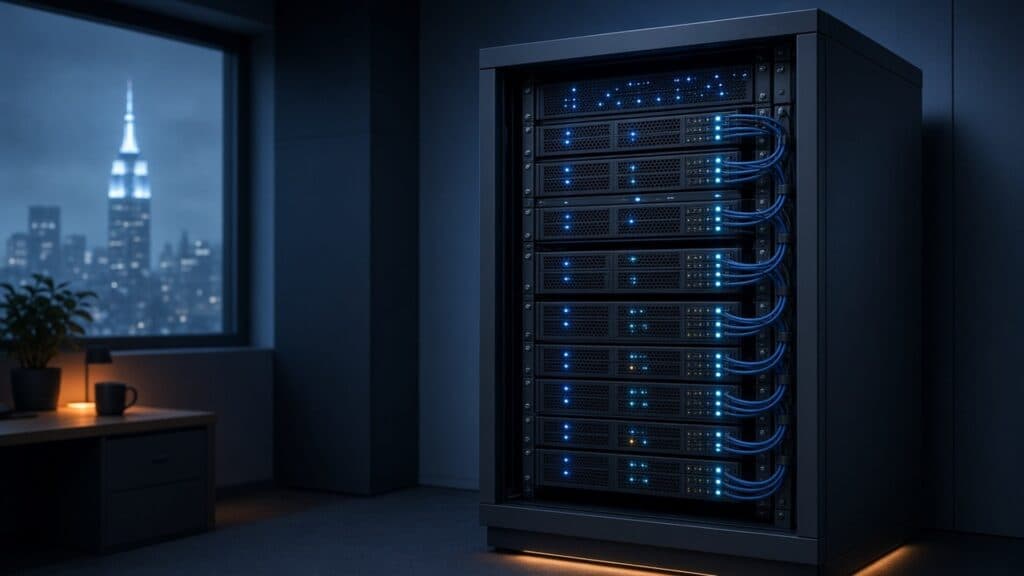
After Go-Live: Managing a Local AI Server for AI Services NYC Teams
Standing up a private AI box is the easy headline. Keeping it useful six months later is the real job. If your firm is evaluating AI services NYC teams can trust with sensitive data, the question is not only “can we run AI on our own hardware?” It is “who keeps that hardware patched, secured, and earning its keep after go-live?”
This post looks at the part of the Local AI Server pillar that rarely gets airtime: the day-two work. It covers what MicroSky’s page actually commits to, why ownership after launch matters as much as the install, and the questions worth answering before you buy a single GPU.
What the Local AI Server pillar covers
On our AI Services for Businesses page, Local AI Server Install & Management is one of six pillars, described as on-prem or private cloud AI infrastructure for security, performance, and control. The page spells out the scope in one sentence that is worth reading twice: a local AI server keeps models and data on hardware you control, and MicroSky handles install, hardening, updates, and day-to-day management so the box stays useful after go-live.
Notice the order. Install is the first word, not the whole sentence. Hardening, updates, and management are the bulk of the commitment, because that is where private AI projects tend to stall.
The page also names when this path makes sense: when policy, performance, or data residency rules out a shared public endpoint. And it notes that model training and agents can run on the same stack, so the server is not a single-purpose appliance.
Why day two is where private AI succeeds or fails
A shared public AI endpoint comes with someone else’s operations team. When you bring AI in-house, you also bring in the chores that team used to handle. For a busy New York office, those chores tend to land on whoever set up the box, and then quietly stop happening when that person gets pulled onto something else.
That pattern shows up in a few predictable ways:
- Drift. The server was configured carefully at launch, then small changes pile up with no record of who changed what or why.
- Update fatigue. Operating system, drivers, runtime, and model updates all arrive on different schedules. Without a plan, teams either stop updating or update everything at once and hope.
- Access creep. A few test accounts become permanent. A shared login gets passed around. The box that was supposed to keep data under your control now has fuzzy edges.
- Orphaned use cases. The first project works, then the people who asked for it move on and nobody is measuring whether the server still serves a real workflow.
None of this is unique to AI. It is the same discipline a managed IT provider applies to any server that holds important data. The difference is that AI stacks have more moving parts, and the cost of a stale or exposed box is higher when it holds your documents and your models.
Hardening: treat the AI server like any sensitive system
The main reason to choose a local AI server is control. Hardening is how you keep that control real instead of theoretical. Before go-live, it is worth agreeing on a handful of basics with whoever will manage the box:
- Who can reach it, and from where. Decide which users, applications, and networks need access, and keep everything else out.
- How people sign in. Named accounts and strong authentication beat a shared admin login that nobody wants to rotate.
- What data lands on it. Be explicit about which document sets, databases, or systems feed the server, so you know what is at stake if something goes wrong.
- What gets logged. You want enough of a record to answer “who used this, and for what?” without drowning in noise.
If your firm already works with MicroSky on managed IT or cyber security, the AI server should fit into the same security posture as the rest of your environment, not sit off to the side as a special exception.
Updates: a rhythm, not a scramble
The page lists updates as part of the job for a reason. A private AI stack has layers that each need care: the operating system, the hardware drivers, the software that serves models, and the models themselves. A sensible management plan answers a few questions up front:
- When do routine updates happen, and who signs off on them?
- How are changes tested before they touch the workflows your staff depend on?
- What is the rollback plan if an update breaks something?
- Who decides when a model is replaced or retrained, and how is that change communicated to users?
The goal is boring predictability. Your team should not learn about an update because their AI agent suddenly answers differently on a Tuesday morning.
Day-to-day management: keeping the box useful
“Useful after go-live” is the phrase that matters. A local AI server earns its place by supporting real work, not by existing. Day-to-day management is where someone keeps an eye on whether the server is healthy, whether the workflows built on it are still being used, and whether new requests should run on the same stack.
Because the page notes that model training and agents can run on the same stack, a well-managed server can grow with you. A firm might start with a private assistant for internal documents, then add AI Agents that take action inside workflows, or bring in AI Model Training tailored to its own domain. Each addition is easier when the foundation is already maintained, documented, and secured.
How the Discover → Design → Deploy → Optimize cycle applies
MicroSky runs every AI engagement through the same four-step cycle described on the AI Services page. For a local AI server, the steps line up neatly with the day-two concerns above:
- Discover: map the work, systems, and constraints, including the policy, performance, or data residency rules that make private hosting the right call.
- Design: design agents, voice flows, integrations, and automation workflows around the tools your team already uses, with access and data boundaries decided up front.
- Deploy: stand up the stack, including the local AI server, and put it in production carefully.
- Optimize: refine prompts, model training, and workflows as usage grows so the implementation stays useful.
Optimize is the step that turns a one-time install into a living system. It is also the step most do-it-yourself projects skip.
Questions to ask before you commit
Whether you work with MicroSky or someone else, these questions will tell you a lot about how a private AI project will age:
- Why private? Name the specific policy, performance, or data residency reason. If there is not one, a shared endpoint may be simpler.
- What is the first workflow? Pick one concrete use case that will run on the server, and decide what success looks like.
- Who owns it after launch? Get a clear answer on hardening, updates, and day-to-day management before the hardware arrives.
- How will it connect? If agents or automation need to reach other business apps, plan those connections as part of the design, not as an afterthought.
- What comes next? Sketch the second and third use cases so the stack is sized and secured for where you are headed.
How this fits with the rest of AI Services
The Local AI Server pillar rarely stands alone. The page is clear that most engagements mix agents, integrations, and automation. Connecting business systems & applications to AI links the server to the tools your team uses. Voice Agents can handle spoken conversations for customer service, after-hours coverage, appointment intake, and internal help desks. Automation workflows reduce manual handoffs once the pieces are connected. The private server is the foundation those pieces can stand on when control matters.
The same approach applies whether your office is in the five boroughs or you are part of a Myrtle Beach audience looking for the same practical path. The constraints vary from firm to firm; the need for someone to own day two does not.
Talk to MicroSky about a managed local AI server
If you want AI on hardware you control without inheriting a second full-time job, start with a conversation about ownership after go-live. Visit our AI Services for Businesses page to see all six pillars, then book a meeting to scope agents, voice, integrations, or a local AI server. If you already know what you need, contact us or open a ticket through MicroSky Managed Services.
Prefer to talk it through? Call us at 718-672-2177.