
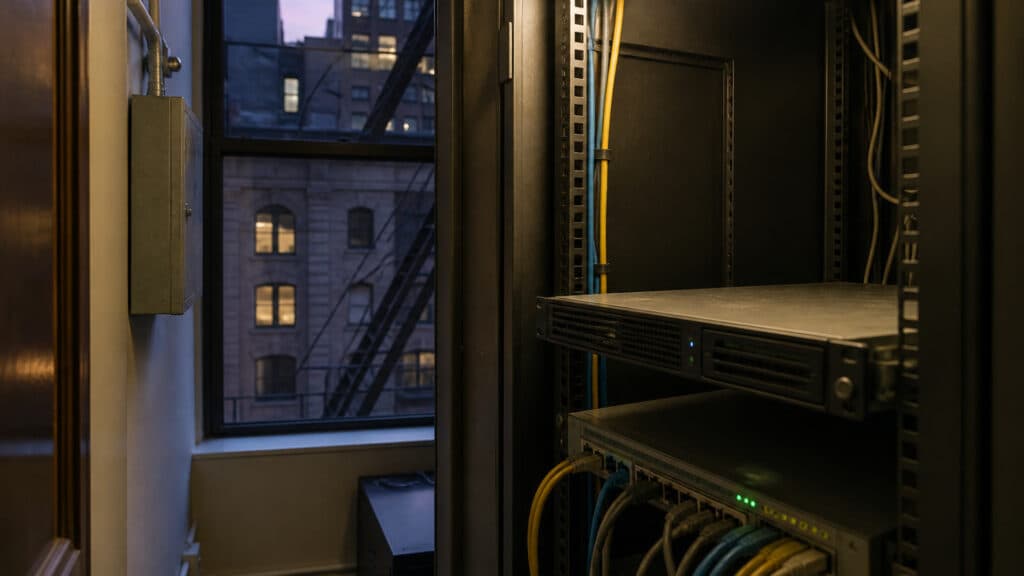
That Exchange Box in the Closet Still Needs the August 2026 Security Update
If your New York firm lives in Microsoft 365, you can skip the panic about the cloud mailboxes. Exchange Online already has the fixes in the August 2026 Exchange Server Security Updates. The box that still matters is the one in the closet: the last on-premises Exchange server someone kept “just for hybrid,” public folders, journal, or the copier.
Microsoft shipped those updates on August 11, 2026. On August 24 they added a known-issue note: if you patch the mailbox backend and leave the frontend on an older build, mailbox moves can fail. That is this week’s job, not next quarter’s migration slide.
Law, accounting, and medical offices in NYC, Staten Island, and northern New Jersey that still have one hybrid box need a version, an ESU answer, and a yes-or-no on August SU — not a generic endpoint quote.
What Microsoft actually released
The August 2026 security updates cover three specific trains:
- Exchange Server Subscription Edition (SE) RTM
- Exchange Server 2019 CU14 and CU15 — only if the organization is enrolled in the Period 2 Extended Security Update program
- Exchange Server 2016 CU23 — same Period 2 ESU gate
Exchange Online customers do not need to do anything for the cloud service itself. Microsoft is explicit that you still have to update remaining Exchange servers and any workstations that run Exchange Management Tools, including hybrid.
The support article for the Exchange 2016 CU23 package — KB5121576, August 11, 2026 — lists the CVEs this SU addresses: CVE-2026-62910, CVE-2026-62911, CVE-2026-62912, CVE-2026-62913, CVE-2026-65813, CVE-2026-62914, and CVE-2026-62915. Treat that as the official set. Do not mix it with the Windows Patch Tuesday list from the same week, including the WinSock item.
One of those, CVE-2026-62911, is an elevation of privilege in Exchange Server. Microsoft scored it Critical (CVSS 3.1 base 8.0). Weakness CWE-294: authentication bypass by capture-replay. An authorized attacker, over the network, with user interaction required. The published vector marked exploitability as E:U (Unproven). That is not the same thing as “it is being used in the wild.” We are not going to pretend otherwise, and we are not going to invent a New York City victim list.
CVE-2026-62914 is the OWA Light change. Starting with this update, installing the SU permanently disables the Outlook Web App Light client. If you cannot install August 2026 or later, Microsoft says to disable OWA Light yourself. That is a mitigation for one CVE. It is not a substitute for the rest of the package.
SUs are cumulative. If you are on a CU that this SU supports, you do not install every older SU in order. You install the latest one. Microsoft’s inventory tool is the Exchange Server Health Checker script. Run it before you touch anything. Run it again after.
The Exchange team’s August 11 release post, updated August 24, documents the MRS known issue by name: if a backend mailbox server is on the August 2026 SU and the frontend that proxies inbound MRS is older, MRS can fail with TooManyTransientFailureRetriesPermanentException. That can show up on any MRS request, including Test-MigrationServerAvailability. Update the frontend.
Why a 15-person NYC firm still has this problem
A lot of Staten Island, outer-borough, and Jersey City practices moved mail to Microsoft 365 years ago and left one hybrid server running. The reasons are boring and real: a public folder the paralegals still open, journal for a matter hold, an SMTP path for the copier or scanner, or a consultant who said “don’t touch hybrid.” Medical offices kept the same pattern for a practice-management connector that never got rebuilt.
That server is still Exchange. If it is 2016 or 2019 and you never bought Period 2 ESU, you are not getting this SU from Windows Update or the public Download Center. Microsoft ended support for those versions. Period 2 ESU is a paid, six-month program from May through October 2026. You had to re-purchase it even if you had Period 1. Microsoft’s July 20, 2026 reminder — updated August 14, 2026 — says there will be no further extension after October 2026. Once October ends, there are no further updates for Exchange 2016/2019, even if you currently hold Period 2 ESU.
After October, an unpatched 2016 or 2019 box is not “legacy.” It is a mail system with no more security updates. If you are not in Period 2, Microsoft’s path is migrate to Exchange SE.
If you already purchased Period 2 and cannot see the packages, Microsoft points you to ExchangeandSfBServerESUInquiry@service.microsoft.com.
Online is patched. Hybrid is not “online.”
Microsoft’s FAQ for this release is the line firms get wrong. Hybrid with Exchange Online: the cloud is protected, and the SU still has to go on the on-premises servers, even if those servers are only used for management. If you change the auth certificate after an SU, re-run the Hybrid Configuration Wizard.
Install it on every Exchange server and every machine that runs the management tools. A patched mailbox server talking to an unpatched frontend is how you get the MRS error Microsoft documented on August 24. Patching one role and leaving the other is how a 15-user hybrid shop turns a Tuesday install into a failed move.
The tenant can be current while the closet is not. Email and identity is still the breach path that matters for the practice. An unpatched on-prem Exchange server is one more place a stolen or replayed credential becomes everyone else’s mail. How fast a published critical can move is covered separately; that post is not a claim that CVE-2026-62911 is being used, and it is not the August Windows list.
The leftover server is still a SHIELD control
That box still sees credentials and still holds or proxies mail that can include Social Security numbers, account numbers, diagnoses, and matter files. Under New York’s SHIELD Act, a business that owns or licenses computerized private information of a New York resident has to maintain reasonable safeguards. Regularly testing key controls is on the statute’s technical-safeguard list. An unpatched, out-of-support mail server is not a tested control. We are not inventing a SHIELD case off this CVE. The SHIELD checklist for NYC SMBs is the statute walk. This post is the server.
If that same box is also the only copy of public folders or journal, a tenant backup of Microsoft 365 does not restore it. We already covered what a tenant-wide event takes from a law or accounting firm. Cloud retention does not cover the closet.
Six things a 15-user shop can finish this week
- Find the box, then inventory with Health Checker. Write down the computer name, version (2016 / 2019 / SE), and CU. Run Microsoft’s Exchange Server Health Checker script against every remaining Exchange server and the workstation that has Exchange Management Tools. Save the output. If you are not on SE RTM, 2019 CU14/CU15, or 2016 CU23, you are not on a train this SU supports — CU first, then ESU or SE. If nobody knows where the server is, that is the finding.
- Name the lane in one sentence. “We are Exchange Online only” (no remaining servers or management tools), “we are SE,” or “we are 2016/2019 with Period 2 ESU.” Hybrid is not “Online only.” If you have no Period 2 ESU on 2016/2019, you cannot install this SU. Microsoft’s path is migrate to Exchange SE, or finish moving leftover roles so you can turn the server off.
- Install the August 2026 SU on every remaining Exchange server and every machine running Exchange Management Tools. Hybrid counts. SUs are cumulative: latest SU on a supported CU. If you have more than one Exchange role still alive, update the frontend as well as the backend so you do not hit the MRS
TooManyTransientFailureRetriesPermanentExceptionknown issue. The August 11 Exchange team post is the install path. It is not a Windows cumulative. - If you cannot install the SU this week — no ESU, no change window, server too fragile — disable OWA Light anyway. Microsoft called that out for CVE-2026-62914. Assign an OWA mailbox policy with OWA Light turned off (
Set-OwaMailboxPolicy -OwaLightEnabled $false), make sure that policy is on the mailboxes, and turn off Light on the logon page (Set-OwaVirtualDirectory -LogonPageLightSelectionEnabled $false). Users go to modern Outlook on the web. That closes one CVE. The rest of the August set still needs the SU. - Reboot after setup. Confirm every Exchange service started. Microsoft says services left Disabled mean setup was interrupted. Re-run Health Checker. If something failed, use Microsoft’s SetupAssist / repair guidance rather than rebooting in a loop. If you rotate the auth certificate after the SU, re-run the Hybrid Configuration Wizard.
- Decide the October question now. Period 2 ESU ends with October 2026. No further extension. If that closet box is still 2016 or 2019 in November, it is an unpatchable mail server. Move to Exchange SE, or remove Exchange from the building and finish the hybrid offboarding. Then look at the restore question we already covered: a Recycle Bin on the tenant is not a backup of the mail that still lives on that box.
Identity and mail filtering still decide whether an attacker gets a mailbox. This post is whether the leftover server is even eligible for a patch.
How MicroSky helps — on this server, not a generic stack
We will not hand you a generic EDR quote and call the closet done.
We will tell you, in writing:
- Whether that closet machine is Exchange 2016, 2019, or SE, and which CU
- Whether Period 2 ESU is even entitled, or whether the only honest path is SE or decommission
- Whether the August 2026 SU is actually installed on every Exchange server and the management-tools workstation
- Whether OWA Light is still enabled if you cannot patch yet
If you are hybrid, we will say whether the SU still applies. If you cannot patch, we will disable OWA Light and put the October deadline on a calendar you can see.
Call before October, not after
Call MicroSky at (718) 672-2177 or visit microskyms.com for a free, no-obligation look at that leftover Exchange server. We serve NYC, Staten Island, New Jersey, and the tri-state.
Ask which version it is, whether Period 2 ESU is on the contract, and the date the August 2026 SU was installed.